Short Answer: Nativly Marketplace offers ready-made AI plugins for native Android and iOS apps for fintech, fantasy sports, music, video streaming, and food apps. Instead of building all the AI features yourself, you can add a tested, reviewed plugin that’s ready for real users. Custom plugin build facility is available now; production-ready versions are in progress, and you can contact the team for a quote. It works with the Nativly AI app builder, where human engineers review every build. You keep your code and can export it to GitHub.
What Is Nativly Marketplace?
Nativly Marketplace is a catalog of AI plugins you can add to a native mobile app, built to production-ready standards. Each plugin covers one AI capability so that you can plug it directly into your app. There’s no need to design, code, and test it from scratch.
Custom plugin development is available today, and the ready-made, production-ready versions are in progress. It’s built for founders, product teams, and businesses using Nativly to ship real Android and iOS apps.
Nativly is a no-code AI app builder: you describe your idea, AI builds it, and engineers help make it production-ready. The Marketplace extends that idea. Your app is the foundation, and plugins add specific AI features on top.
Which AI Plugins Does Nativly Marketplace Include?
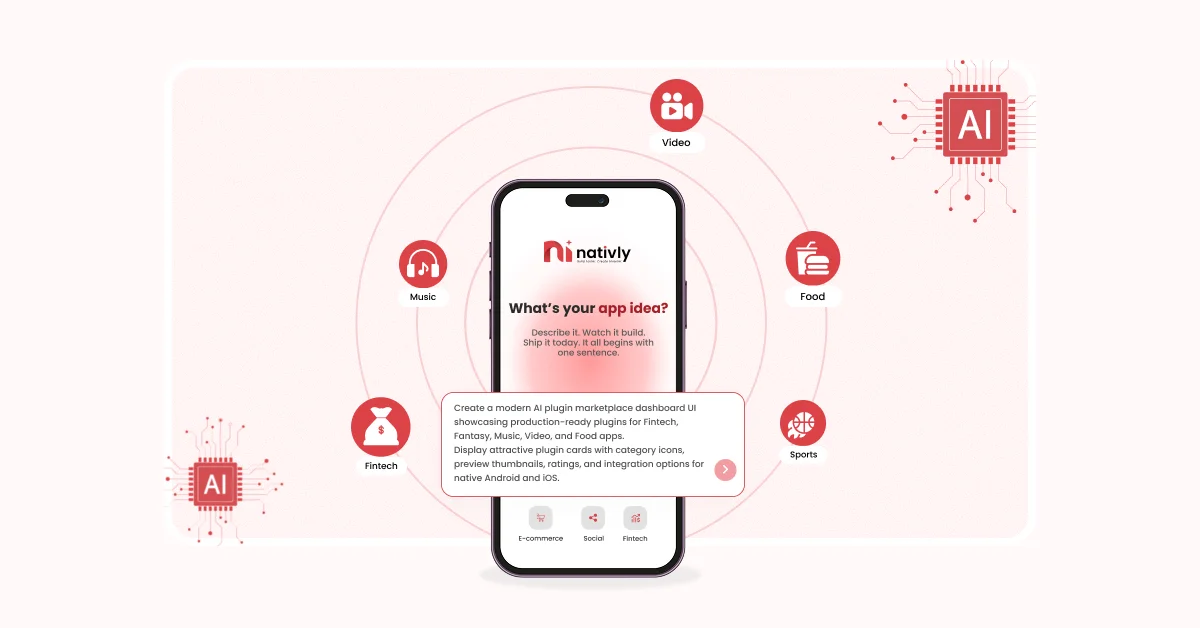
The Marketplace groups AI plugins by industry: fintech, music, fantasy sports, food, and video streaming. Each plugin manages one job; you add only what your app needs.
Below is the full lineup. Custom builds of these are available today, and production-ready versions are in progress.
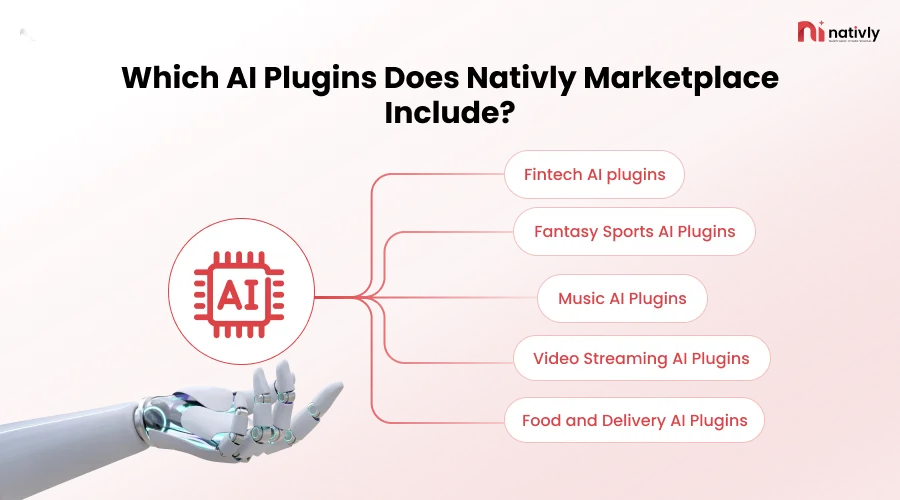
Fintech AI plugins
Fintech apps deal with identity and money, so compliance and accuracy matter most. These plugins cover risk, onboarding, and everyday user help.
| Plugin | What it does | Useful for |
| AI KYC and AML solution | Automates identity checks and flags suspicious activity for review | Wallets, neobanks, lending apps |
| AI fraud detection solution | Spots unusual transactions and account behavior | Payment and banking apps |
| AI credit scoring | Estimates repayment risk from applicant data | Lenders, buy-now-pay-later apps |
| AI loan approval automation | Moves applications through checks and speeds up decisions | Digital lending platforms |
| AI expense categorization | Sorts transactions into spending categories automatically | Personal finance and expense apps |
| AI voice-based payment assistance | Lets users check balances or start payments by voice | Banking and wallet apps |
Regulated features such as KYC, AML, credit scoring, and loan decisions should include a human review step and follow the rules of the countries you operate in.
Fantasy Sports AI Plugins
Fantasy apps live on fairness and real-time action. These plugins support gameplay and protect contests.
| Plugin | What it does | Useful for |
| AI-powered draft assistance | Suggests picks during team drafts | Draft-based fantasy apps |
| AI-powered live scoring solutions | Updates points as matches happen | Live contests |
| AI anti-fraud and multi-account detection | Flags users running duplicate accounts or abusing offers | Paid contests and promotions |
| AI match predictions and team suggestions | Recommends lineups based on match data | Casual and competitive players |
Predictions are suggestions, not guarantees. Also check local rules for fantasy and real-money contests before launch.
Music AI Plugins
| Plugin | What it does | Useful for |
| AI music recommendations | Suggests tracks based on listening behavior | Streaming and discovery apps |
| AI audio mastering | Balances and polishes audio levels automatically | Creator and production apps |
| AI music copyright detection | Flags uploads that may match protected tracks | Platforms with user uploads |
| AI mood-based playlist generator | Builds playlists around a chosen mood or activity | Wellness and listening apps |
Copyright detection flags possible matches for review. It’s not a legal ruling.
Video Streaming AI Plugins
| Plugin | What it does | Useful for |
| AI content recommendation engine | Suggests videos each viewer is likely to watch next | OTT and short-video apps |
| AI thumbnail optimization | Helps choose or generate thumbnails that attract clicks | Creator and publisher platforms |
Food and Delivery AI Plugins
| Plugin | What it does | Useful for |
| AI menu recommendations | Suggests dishes based on taste and order history | Restaurant and ordering apps |
| AI delivery ETA and routing | Predicts arrival times and plans efficient routes | Delivery fleets and apps |
| AI food recognition | Identifies dishes from photos | Nutrition and diet apps |
| AI-powered food ordering system | Guides users through browsing and placing orders | Restaurants and cloud kitchens |
| AI-powered order delivery management | Helps assign, track, and manage deliveries | Operators managing many orders |

Why Do Mobile Apps Need Ready-Made AI Plugins?
Most AI features are common capabilities that you don’t need to build twice. Chat assistants, recommendations, search, and content generation follow familiar patterns.
Rebuilding them needs time, and a first version usually breaks in the last stretch: edge cases, security, and store rules. We covered this in why AI app builders stall at 80%.
Build vs Buy: A Quick Guide
| Situation | Better choice | Why |
| Common feature (chat, search, summaries) | Buy a plugin | Faster, already tested |
| You need to launch an MVP quickly | Buy a plugin | Less to build and maintain |
| The AI is your core product advantage | Build custom | You control the differentiator |
| Strict, unusual compliance needs | Build or customize | Off-the-shelf may not fit |
Our deeper breakdown is in Build vs Buy AI: When Ready-Made Modules Beat Custom Development.
What Does “Production-Ready” Actually Mean?
Production-ready means a feature is safe to show real users, not just a demo. A prototype can look perfect and still fail when thousands of people use it on different phones. Here is a practical checklist.
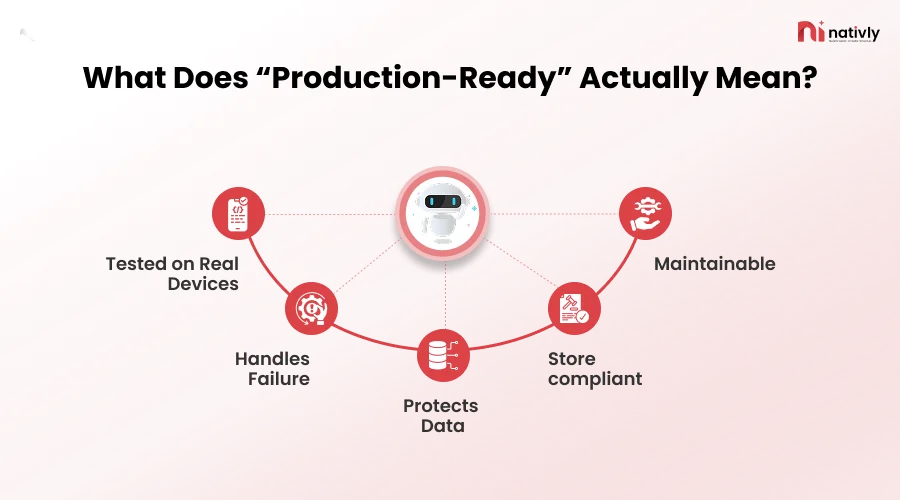
- Tested on Real Devices: It works on different screen sizes, network conditions, and OS versions.
- Handles Failure: If the AI service is slow or down, the app shows a helpful message instead of crashing.
- Protects Data: User inputs are securely handled, with clear rules on what is stored.
- Store-compliant: It follows App Store and Google Play review requirements.
- Maintainable: Someone can update it when APIs, models, or OS versions change.
Nativly’s approach pairs AI generation with human engineer review on every build in its MVP Launch plan, safeguarding and closing that last 20%.
How Do AI Plugins Fit Into a Native iOS and Android App?
A plugin connects to your app’s screens, backend, and data, then shows results through native interfaces. Nativly builds real native apps rather than web wrappers. AI features can sit alongside notifications, the camera, and offline behavior. Nativly’s stack is React Native, AWS, and Node.js, with a deployed backend.
The typical flow:
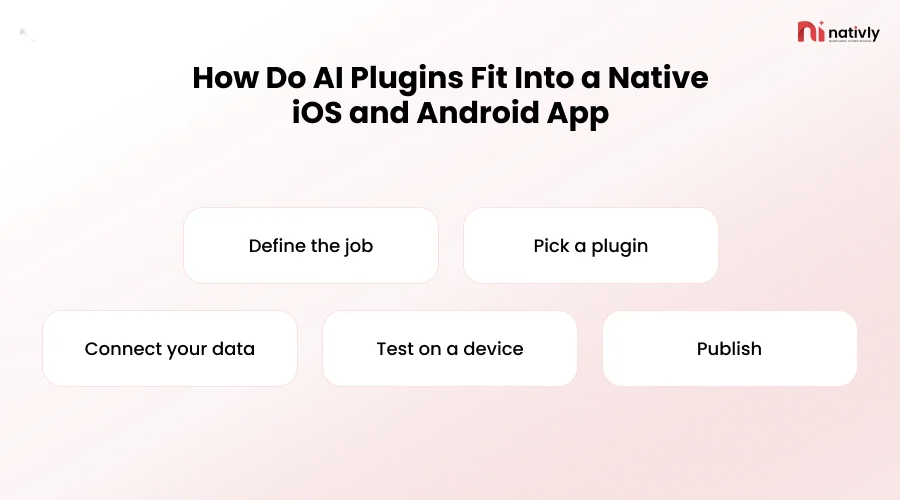
- Define the job. Decide what the AI should do for the user, in one sentence.
- Pick a plugin. Choose one that matches that job and your data needs.
- Connect your data. Link APIs and databases. See how to connect APIs and databases to an AI-built app.
- Test on a device. Check real behavior, including slow connections.
- Publish. Submit to Google Play and the App Store.
Timelines vary widely, from hours to months depending on complexity. Our realistic timeline for adding AI to a mobile app explains the factors.
Who Should Use Nativly Marketplace?
It suits anyone who wants AI in a native app without owning the complete engineering effort.
| Audience | What they gain |
| Non-technical founders | AI features without hiring a full team |
| Startups building an MVP | Faster validation and lower upfront cost |
| Product teams at established businesses | Add AI to existing plans without a long build |
| Enterprises | Reviewed, maintainable components. See our enterprise AI app guide |
How Is Nativly Marketplace Different From General Integration Libraries?
General integration libraries connect your app to popular tools. Nativly Marketplace focuses on industry-specific AI features for native mobile apps. Both are useful, and many apps need both. These libraries usually offer connectors for tools such as messaging, payments, and workspace apps.
| General integration libraries | Nativly Marketplace | |
| Main focus | Connecting tools and services to apps, sites, and more | AI plugins for specific industries |
| Examples | Payments, messaging, workspace tools | KYC and AML, ETA and routing, fantasy anti-fraud |
| App type | Broad: apps, websites, landing pages, slides | Native iOS and Android apps |
| Quality safeguard | AI agent builds; enterprise controls such as SOC 2 and SSO/SAML | Human engineer review on every build (MVP Launch plan) |
The practical takeaway: Use a connector when you need a standard tool like payments. Use a domain-specific AI plugin when you need industry logic, such as fraud checks or delivery routing, that a generic connector doesn’t provide.
What Should You Check Before Installing Any AI Plugin?
Check ownership, cost, data handling, and exit options before you install. These questions apply to any marketplace, ours included.
- Who owns the code and output? Read the IP and data questions to ask before buying an AI module.
- Where does user data go? Know what is sent to AI providers and what is stored.
- How is usage priced? AI features usually have ongoing usage costs in addition to the plugin price.
- Can you leave? Nativly lets you export your app to GitHub, so nothing lives only on its servers.
- Who maintains it? Ask how updates and fixes are handled.
- Is your industry regulated? For fintech, fantasy contests, or copyrighted media, confirm the legal requirements for each market.
Marketplaces are becoming the standard way to extend AI products. Business Standard notes that OpenAI now publishes apps as plugins, and Bubble reports almost 700 native mobile plugins in its own marketplace. The pattern is clear: ready-made components are how most teams add capability now.
What Do Nativly Marketplace Plugins Cost, and When Are They Available?
Nativly team quotes plugin pricing, and custom plugin builds are available now. Ready-made, production-ready versions are still in progress. If you need AI features today, the team can build them for your app. If you prefer a ready-made plugin, you can ask to be kept in the loop as each one is finished.
| Details | |
| Pricing | Contact the team for a quote |
| Custom plugin service | Available now |
| Production-ready plugins | In progress |
Why plugin pricing is quoted, not listed
The cost of an AI feature depends on more than the plugin itself. When you ask for a quote, expect the team to talk through:
- Which plugin or plugins you need.
- How much customization your app requires.
- Which systems it connects to, such as payment providers, databases, or your own APIs.
- Expected usage, since AI features generally carry ongoing usage costs.
- Compliance needs, especially for fintech and other regulated areas.
How Do You Get Started?
Start with your app idea, then add plugins where they solve a real user problem. Nativly’s published pricing starts with the Validator at $19/month for designs, documents, and a pitch deck. The MVP Launch plan at $199/month includes a native Android and iOS app, backend, engineer review, and store publishing support.
These plans cover the app builder, while plugin pricing is quoted separately. Prices can change, so confirm on the Nativly website. To compare options first, see our guide to the best AI mobile app builders in 2026.
FAQs
Q1. What is Nativly Marketplace?
It’s a catalog of AI plugins for native iOS and Android apps, built to production-ready standards so you don’t build each AI feature from scratch. Custom builds are available now.
Q2. How much do Nativly Marketplace plugins cost?
The Nativly team provides quotes based on the plugins, customization, integrations, and usage. Contact the team for a quote.
Q3. Are the plugins available now?
Custom plugin builds are available now. Production-ready, ready-made versions are in progress.
Q4. Which industries does Nativly Marketplace cover?
Fintech, fantasy sports, music, video streaming, and food and delivery, with 21 AI plugins across those categories.
Q5. How is Nativly Marketplace different from general integration libraries?
Integration libraries connect common tools like payments or messaging. Nativly Marketplace offers industry-specific AI plugins for native iOS and Android apps reviewed by engineers.
Q6. What does production-ready mean for an AI plugin?
It is tested on real devices, handles errors and edge cases, protects user data, and is reviewed against App Store and Google Play requirements.
Q7. Do I need coding skills to add AI plugins?
No. Nativly is a no-code builder with engineer review. Very complex custom logic may still need developer input.
Q8. Will I own my code if I use plugins?
Nativly states your code is yours and exportable to GitHub. Still, check each plugin’s license terms before launch.
Q9. Should I build or buy AI features?
Buy for common features like chat or search. Build custom only when the AI is your main competitive advantage.