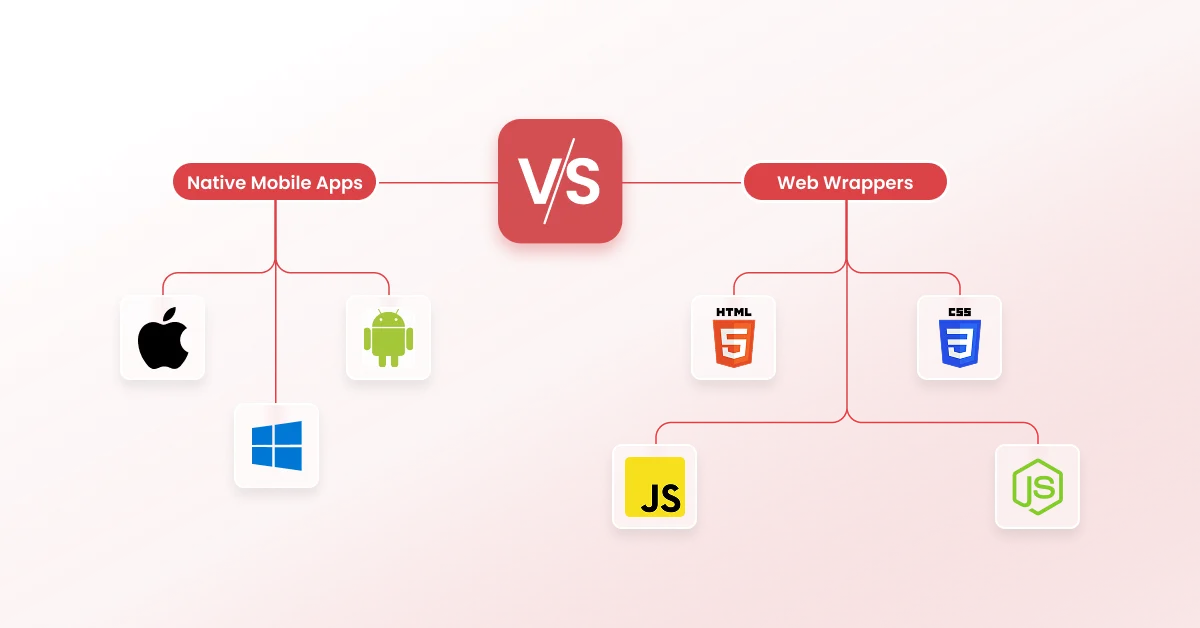
Short Answer: A native app is built with the phone’s tools, so it feels fast and can use notifications, the camera, and offline mode. A web wrapper is your website kept inside an app shell. Wrappers are cheaper, but can feel slow, and Apple may reject them. Native is the safer choice for most founders who seek real users who come back every day.
|
You have an app idea. Maybe you already have a website. Now someone says, “Just put it in a wrapper and ship it by Friday.” Someone else says, “Build it native, or users will hate it.”
Both people are partly right. This guide explains the difference in simple terms, what each choice costs you, and helps you decide before you spend time and money.
What is a Native Mobile App?
A native mobile app is developed specifically for an operating system, such as Android or iOS, using that system’s tools. It runs directly on the phone, so it’s faster and smoother, and it can use features like GPS, the camera, notifications, and offline storage.
Think of apps like your phone’s camera, a ride-hailing app, or banking apps. They open quickly, scroll seamlessly, and follow your phone’s look and feel.
What native apps are usually fine at.
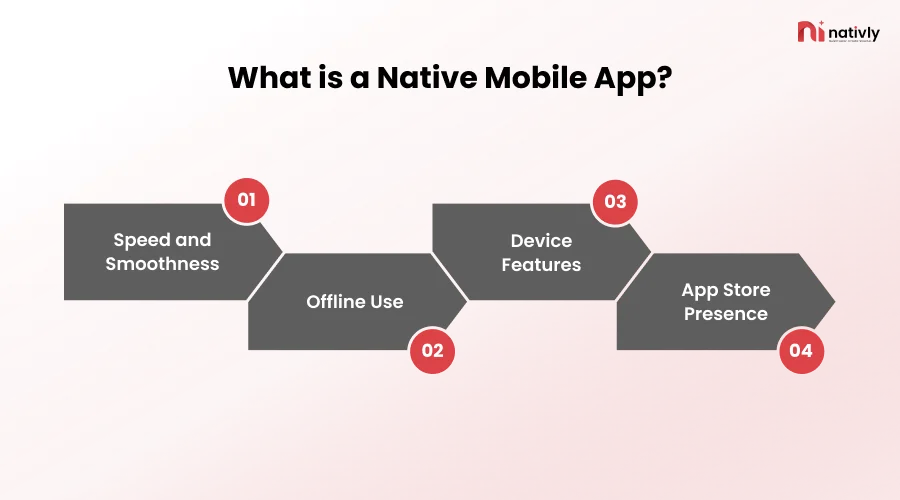
- Speed and Smoothness: Animations and screens respond right away.
- Offline Use: Parts of the app still work without internet
- Device Features: Camera, Face ID or fingerprint, location, and push notifications.
- App Store Presence: People can find and install your app from Google Play and the App Store.
Why does this matter to a business? Because people live inside apps. According to Sensor Tower’s State of Mobile 2026 report, people worldwide spent 5.3 trillion hours in apps in 2025. DataReportal, citing data.ai research, found that mobile browsers accounted for just 6.3% of daily smartphone time. The takeaway is clear: mobile apps capture most smartphone attention.
What Is a Web Wrapper App?
A web wrapper app, also known as a WebView app, is a website placed inside a thin app shell, which you can install from an app store. But the content inside is still your website running in a mini browser.
Many tools allow you to do this in hours. You paste in your website address, add an icon, and get an app file. That speed makes wrappers popular.
How a Web Wrapper Works:
- You already have a mobile-friendly website.
- A tool puts that website inside an app container (the “wrapper”).
- You submit the container to Google Play or the App Store.
- Users open the app, but they are actually seeing your website.
Because the content is web content, you can usually update it without waiting for a store review. That is a real benefit. The downside is that your app may look and behave more like a website than a real mobile app, which can hurt the user experience.
Where Do Hybrid Apps And PWAs Fit In?
These terms are often confused, so let’s clear things up.
- Hybrid App: Uses web technology inside an installed app. According to AWS, a hybrid app sits between web and native apps. A plain wrapper is the easiest kind of hybrid. A well-built hybrid adds real native features.
- Cross-Platform App: Built with tools like React Native or Flutter. One codebase builds Android and iOS apps; many compile to real native screens.
- Progressive Web App (PWA): A website you can save on your home screen. It doesn’t need an app store, but can be limited on some phones.
Native App vs. Web Wrapper: Side-by-Side Comparison
Native apps win on device access, speed, and user experience. Web wrappers win on speed to launch and starting cost. The right choice depends on how much your product depends on an effortless, app-like experience.
| Factor | Native app | Web wrapper app |
| How it is built | Built for iOS and Android using native code or tools that compile to native | Your website inside an app shell |
| Speed and feel | Fast, smooth, follows phone design | Can feel slower and “webby” |
| Device features | Full access: camera, GPS, biometrics, notifications | Limited, depends on plugins |
| Offline use | Strong | Often weak or needs extra setup |
| App Store approval | Normal review | Higher risk of rejection |
| Time to first launch | Days to weeks with AI builders; longer with agencies | Hours to days |
| Updates | Through store release, or tools that speed this up | Web content can change instantly |
| Best for | Daily-use products, marketplaces, fintech, fitness, social | Simple content, quick tests, internal tools |
Fair Note: The gap is not always significant. According to various industry guides, users may not notice speed differences for various business apps. It matters most when the app depends on real-time features, animations, or device hardware.
Why Apple Can Reject Web Wrapper Apps
Apple’s App Store Review Guideline 4.2, known as Minimum Functionality, says an app should show content, features, and design that go beyond a repackaged website. A plain wrapper generally fails this rule. So, Apple may reject it.
You can read the rule on Apple’s official App Review Guidelines page. Simply put, if reviewers think your app is just a website in a box, they can say no.
Is The Technology The Problem?
Not exactly. Industry giants acknowledge that big apps also use web views for some screens. The issue is a lack of native feel and value, not the use of web technology itself.
What Reviewers Want to See
- Navigation that feels like an app, not a website menu
- Something useful that a website can’t do alone: push notifications, offline mode, or camera use.
- A clear purpose and a polished design.
Google Play has its own quality requirements, even if they go by different names. Either way, expect multiple rounds of review before approval. If your entire launch plan depends on getting a basic web wrapper approved, you are taking an unnecessary risk.
When a Web Wrapper Makes Sense
Choose a web wrapper when you need to test an idea faster, your product is mostly content, or the app is for a small group, like your team. It’s a short-term tool, not generally a long-term plan.
- Quick Validation: You can check if people want your product before you invest more.
- Content-Heavy Products: News, blogs, and simple information portals.
- Internal Tools: Staff apps where polish matters less.
- Very Tight Budget: You need something live this month.
Even there, be careful. If you add native features later, you may end up rebuilding. Many founders pay twice: once for the wrapper, then again for the real app.
When Native Is the Better Choice
Go for native when users will open your app often, when trust and smoothness matter, or when you need device features. This includes booking, payments, health, delivery, social, and marketplace apps.
- You use the camera, GPS, Bluetooth, or biometrics.
- You need push notifications to bring people back.
- You want to grow with strong reviews. A slow app gets low ratings quickly.
- You want to own your code. This protects you from being locked into one tool.
- You plan to scale. A solid base saves rebuild costs later.
The old problem with native, and how it is changing
Traditionally, building a native app meant hiring separate development teams for Android and iOS, plus a long wait and a large bill. That’s why many founders chose wrappers. AI app builders now change that. You describe your app, and the tool generates the logic, screens, and a native build.
Nativly, for example, builds native Android and iOS apps from plain-English prompts, supports Google Play and the App Store, and allows you to export your code to GitHub.
Read this list of the best AI mobile app builders in 2026 to compare tools before you choose.
How Much Does Each Option Cost?
Both approaches need app store accounts: Google Play charges a one-time $25, and Apple charges $99 per year. The bigger difference is the build cost. Traditional native builds with an agency usually quote from $50,000 to $500,000 or more, while AI builders and wrappers cost far less.
| Cost item | Typical amount | Notes |
| Apple Developer Program | $99 per year | Required to publish on the App Store. See Apple Developer Program. |
| Google Play developer account | $25, one-time | See Google Play Console Help. |
| Traditional agency native build | $50,000–$500,000+ | Estimate from Nativly’s enterprise comparison; real quotes vary by scope. |
| Web wrapper tools | Low monthly fees | Cheap to start, but may cost more if you rebuild later. |
| AI native app builder | Monthly subscription | Check each builder’s current pricing page. |
Don’t judge only by the first bill. Add the cost of lost users, rejected submissions, and a possible rebuild. A cheaper start is not always the cheaper way.
How to Decide: A 6-Question Checklist
Answer six questions about your users, budget, features, growth plans, timeline, and code ownership. If you answer “yes” to two or more of the first three questions, native is possibly the better fit.
- Do you need camera, push notifications, offline mode, or GPS? If yes, go native.
- Will people use the app every week or every day? If yes, go native.
- Is a smooth, premium feel part of your brand? If yes, go native.
- Do you only need to test demand in a few weeks? A wrapper or web app may be enough.
- Do you plan to grow, raise money, or sell the product? Own clean, native code from the start.
- Can you accept App Store rejection risk? If not, avoid a plain wrapper.
| Simple Rule: If the app is the product, build native. If the app is only a way to a website, a wrapper may be enough for now. |
Common Mistakes Founders Make
- Choosing only on price. The cheapest start can end up the most costly rebuild.
- Assuming approval is guaranteed. Stores review quality, not only code.
- Skipping real devices. Test on Android phones and iPhones before you launch.
- Lack of code ownership. Ask if you can export your source code. If not, you may be locked in.
- Building every feature at once. Launch a small, useful first version, then improve it.
One honest caution: AI-generated apps can still need testing and refinement, and complex business logic may need a developer. Treat any AI builder as a fast start, not magic.
Final Thoughts
A web wrapper can help you test an idea quickly, but it is rarely the best long-term base for a product people use every day. Native apps traditionally cost more to develop, but they offer speed, device access, and a better chance of passing store review.
If you want native without the agency cost, connect with Nativly to learn how they build native Android and iOS apps from a simple description. Teams with bigger needs can also explore the Nativly enterprise option.
FAQs
Q1. What is the difference between a native app and a web wrapper?
A native app is built with the phone’s own tools and runs directly on the device. A web wrapper is a website placed inside a thin app shell, so it still behaves like a website.
Q2. Will Apple reject a web wrapper app?
It can. Apple’s Guideline 4.2 says an app should go beyond a repackaged website. Wrappers with no real native features are often rejected.
Q3. Is a web wrapper cheaper than a native app?
Usually yes at the start. But you may pay later through rejections, weak performance, or a full rebuild.
Q4. Is a hybrid app the same as a web wrapper?
Not exactly. A plain wrapper only shows your website. A hybrid app uses web technology but can also include native parts. A good hybrid adds real native features.
Q5. Can I build a native app without coding?
Yes. AI app builders such as Nativly let you describe your idea in plain English and generate an app for iOS and Android.
Q6. Should a startup begin with a web app first?
If you only need to test an idea fast, a web app is fine. If your product depends on notifications, the camera, offline use, or daily habits, plan for native early.
Q7. How much does it cost to publish an app?
Apple charges $99 per year, and Google Play charges a one-time $25. Build costs are separate.