Key Takeaways
- It can take from a few hours to 6 months to add AI to a mobile app.
- The key factors impacting the timeline are AI complexity, deployment location, data readiness, app integration, and compliance.
- Adding AI can be slower due to poor planning, budget and estimation, incomplete data, integrations, and performance issues.
- Connecting with Nativly can help you to add AI to app quickly, and here, you can get connectivity with the experts.
The overall timeline to add AI to a mobile app can vary from a few hours to 6 months. This timeline can vary due to different factors such as complexity of the app, integration parameters, data readiness, and compliance measures.
The timeline depends on what you are adding: a simple chatbot built on a pre-trained API ships far faster than a custom-trained model or on-device AI.
This guide breaks down realistic timelines by AI feature type, walks through the timeline, and related factors along with the errors that slow it down.
Let’s proceed with the same.
What does “Adding AI to a Mobile App” Actually Mean?
Adding AI to a mobile app actually means connecting its interface or backend to a machine learning model so the app can interpret language, recognize images, process speech, and can make automated decisions.
Irrespective of relying strictly on hardcoded rules, the app can handle messy, real-world data and adapt to user behavior.
It basically means integrating AI features into a mobile app so that it can do things like understand text or speech, make recommendations, recognize images, or generate responses.
All it includes is choosing an AI capability and connecting it to the app’s interface, data, and workflows. Startups and enterprises also search for measures to build enterprise apps with AI.
How Long Does It Take to Add AI to a Mobile App?
The time limit can vary from a few hours to 6 months depending on different factors such as app and AI complexity, pre-trained vs. custom models, build-versus-buy choice, AI feature scope, data availability, quality, and others.
Here is a complete table defining the timeline related to how long it takes to add AI to a mobile app:
| Timeline | Scope | Model approach | Data needed |
| A few hours to 2 days | Proof of concept (chatbot or summarizer prototype) | Pre-trained API, buy | None |
| 1-2 weeks | One simple AI feature live (chatbot, OCR, search) | Pre-trained API, buy | Minimal |
| 1-2 months | 1-2 features with personalization | Pre-trained plus fine-tuning or RAG | Usable, needs cleaning |
| 2-4 months | Multiple features, several integrations | Hybrid (buy core, build differentiators) | Scattered, needs a pipeline |
| 4-6 months | Custom models or on-device AI | Custom-trained, build | Must be collected and labeled |
However, if your app is simple, it might take weeks or even a few hours.
With the timeline, one of the important parameters that can be effective is identifying how to choose an builder for your enterprise.
Now, let’s walk you through the key factors impacting the overall timeline to add AI to a mobile app in the next section.

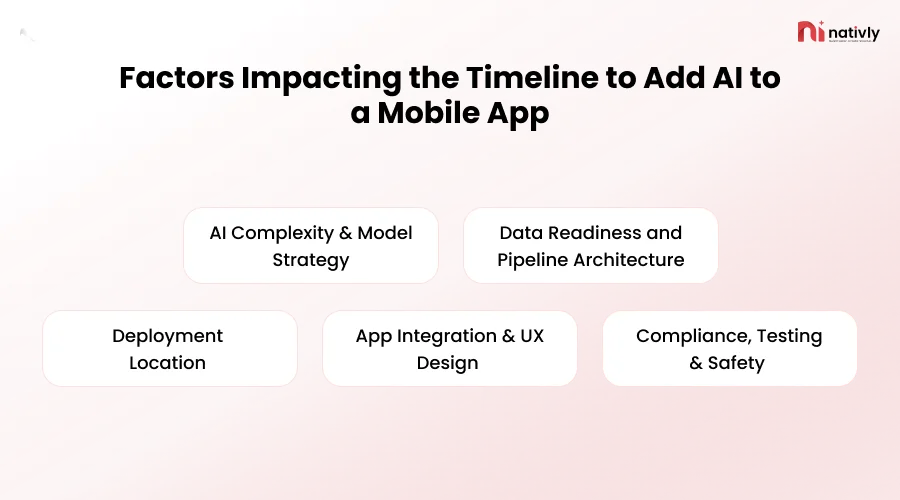
Factors Impacting the Timeline to Add AI to a Mobile App
The key factors that impact the complete timeline to add AI to a mobile app are complexity and model strategy, data readiness and pipeline architecture, deployment location, and many others:
1. AI Complexity & Model Strategy
AI complexity affects how much design, integration, and testing the feature needs. It directly dictates the scope of data prep, inference architecture, and testing cycles, shifting the mobile development timelines from a 6-week MVP to 6 months.
Here is the list of key complexities to consider:
- The complexity of hierarchy
- The complexity of features
- The complexity of architecture
- The complexity of model strategy frameworks
High Complexity= More Time
2. Data Readiness and Pipeline Architecture
Data readiness and pipeline architecture work together to ensure that the raw information is clean, structured, and delivered reliably to the analytics tools and AI systems.
Here’s why data readiness matters for mobile AI:
- Device constraints
- Model size & Quantization
- Privacy and compliance
- Real-World Edge Cases
High Data Readiness = More Time Saved
3. Deployment Location
Whether the AI model runs directly on the user’s device or on a remote server, which is one of the biggest drivers of a mobile app’s AI integration timeline. Here, cloud AI may be quicker, while on-device AI can take longer; hybrid AI adds coordination between both.
Here’s how the deployment location directly impacts the timeline:
- Through on-device AI
- Cloud-Based AI
- API-Based AI
Deployment Location= High impact on deployment timeline
4. App Integration & UX Design
App integration and design directly dictate both the complexity and length of the timeline while adding AI to a mobile app. However, the core machine learning model training or API setup takes time.
Here’s how app integration & design impacts the timeline to add AI to an app:
- Connecting AI to an existing system takes integration work.
- AI features need clear, simple, and user-friendly design.
- Device compatibility needs testing.
Complex App Integration and Design= High impact on building a Mobile App
5. Compliance, Testing & Safety
Compliance, testing & safety are the single most critical factor that stretches the timeline of integrating AI into the mobile app. Here, AI features are non-deterministic, meaning they can produce different outputs.
Here’s how compliance, testing & safety impact the timeline:
- Privacy and regulatory checks can add review time.
- AI outputs need accuracy and safety testing.
- Security testing helps protect user data.
Compliance, testing & safety = High impact on adding AI to a mobile app
Well, while integrating AI to a mobile app, there can be common delays that you need to avoid, lets have a consideration on the key delays in the following section.
Also Read: Prompts that Turn Your App Idea Into a Live App in Minutes
Common Delays and How to Avoid Them
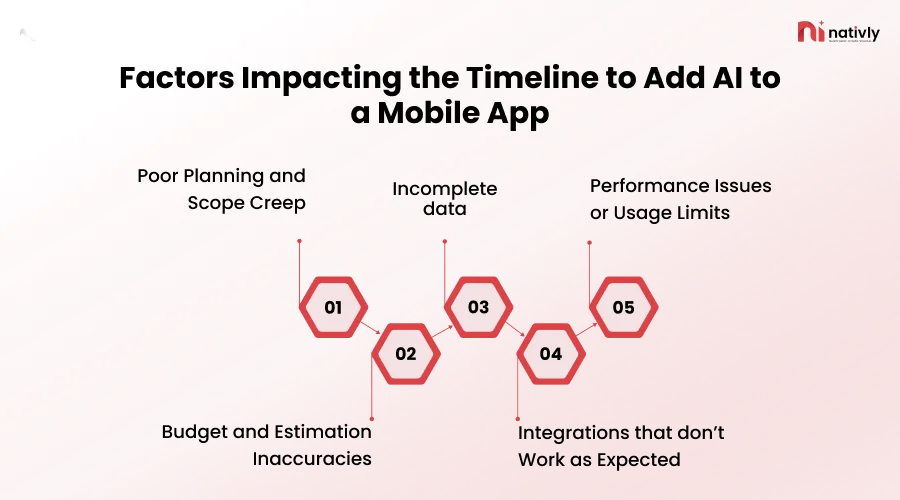
The common delays that can impact the completion timeline are:
-
Poor Planning and Scope Creep
Starting the work without a clear blueprint can take a long time to add AI to a mobile application. It may further multiply the workload, compress schedules, and exhaust AI tool resources.
-
Budget and Estimation Inaccuracies
This may further cause resource shortages, cash-flow bottlenecks, forced work halts, and reactive scope compression. When the financial forecast remains wrong from the start, a project quickly derails from its scheduled time.
-
Incomplete data
Incomplete data analysis and related timeline forces teams to pause and spend time finding, cleaning, or fixing missing entries instead of moving forward. These delays generally stem from a few predictable breakdowns in planning, communication, and execution.
-
Integrations that don’t Work as Expected
If the integrated APIs don’t work as expected, this can increase the overall timeline to add AI to a mobile app. There can be hidden technical and architectural mismatches rather than basic coding errors.
-
Performance Issues or Usage Limits
Performance issues or usage limits are the key challenge because they impact both local device resources and backend operational costs. This can even increase overall usage limits as well as cost scaling.
Here, one of the key questions that most of the startups and enterprises often asks is how to estimate your own timeline?
Well, for this, one needs to know the key purpose of their application, and what are the key features that you need to serve the targeted audiences.

How to Estimate Your Own Timeline (Checklist)
For estimating your own timeline for the project, it is important to assess the key factors such as:
- Features scope and complexity
- Data readiness and preparation
- Design and user experience
- Security, privacy, and compliance needs
- Deployment, app-store review, and launch preparation.
This will help you to have a complete estimate of how long does it take to add AI to a mobile app.
How Nativly Helps You Ship AI Features Faster
Nativly is the top AI app builder that can help you to ship AI features faster through full-stack automation, prompt-driven generation, instant testing and preview, along with in-browser development.
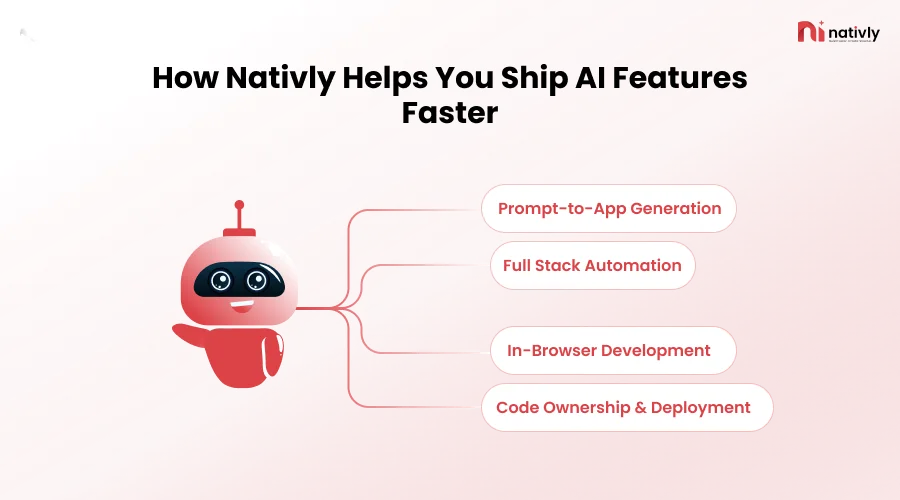
Here’s what makes Nativly different:
- Prompt-to-App Generation: Nativly offers effective and easy prompt-to-app generation that allows you to build native mobile or web applications straight from natural language descriptions.
- Full Stack Automation: By utilizing an AI-agent architecture that automates the entire software lifecycle from requirements gathering to deployment, from a single natural language prompt.
- In-Browser Development: Nativly lets you build and refine apps in-browser with the help of natural language prompts and visual tools, without installing development software.
- Code Ownership & Deployment: Nativly offers code ownership and deployment by effectively exporting the code.
Conclusion
The timeline to add AI to a mobile app depends on several factors such as AI complexity and mode, data readiness and pipeline, deployment location, API integration & UX design, along with compliance.
Other than this, there are certain common delays that your app might face such as poor planning and scope creep, budget and estimation, incomplete data, integrations that don’t work as expected, and even the app can examine the performance errors.
To estimate the timeline, you should evaluate your app’s size and the importance of adding AI to a mobile app. Additionally, Nativly is a key AI tool that can help you convert your app ideas into reality with the help of a few prompts.
FAQs
Q1. How long does it take to add AI to a mobile app?
Adding AI to a mobile app can take you somewhere between a few hours or days and 6 months, depending on different factors such as AI complexity and model strategy, data readiness and pipeline, app integration, and app deployment.
Q2. What are the key factors that impact the timeline to add AI to a mobile app?
The key factors that impact the timeline to add AI to a mobile app can depend on the size of your app, compliance, UX design, deployment location, AI complexity, data readiness, and app integration.
Q3. What slows down AI integration the most?
There are several key factors that slow down AI integration the most: poor planning, scope creep, budget and estimation, and incomplete data. Integrations that don’t work as expected and performance issues.
Q4. Can a non-technical founder add AI features?
Yes, a non-technical founder can add AI features to a mobile app and to a product, with the help of no-code app builders, AI coding and build workspaces, and with the help of off-shelf solutions.
Q5. How long does App Store approval take for AI apps?
App Store approval usually takes between 24 hours and 48 hours, depending on your app. If your app is unique and is not based on a copied base, the App Store will approve it shortly.
Q6. Can you add AI to an existing app without rebuilding it?
Yes, you can add AI to an existing app without rebuilding it through connecting via APIs or middlewares, using an AI gateway, leveraging plug-and-play models, using the feature flags. More complicated features involve custom models, data preparation, and extensive safety and compliance testing.